The ROG Xbox Ally was not what I expected. There’s a moment when you pick up a device and something inside you says—this might work. For the ROG Xbox Ally, that moment came after a hesitant start. My first impressions? Let’s say they were cautious. But as I spent time with this handheld, the story changed.
In this piece I’ll walk you through my experience with the ROG Xbox Ally: the initial doubts, the surprise performances, the software integration, the ergonomics, and whether this handheld justifies its price—especially if you already own another device (like a Steam Deck). If you’re curious about the ROG Xbox Ally, you’ll want to read this from start to finish.
ROG Xbox Ally First Impressions That Weren’t Stellar
When I first got the ROG Xbox Ally, my immediate reaction was lukewarm. Here’s what stood out:
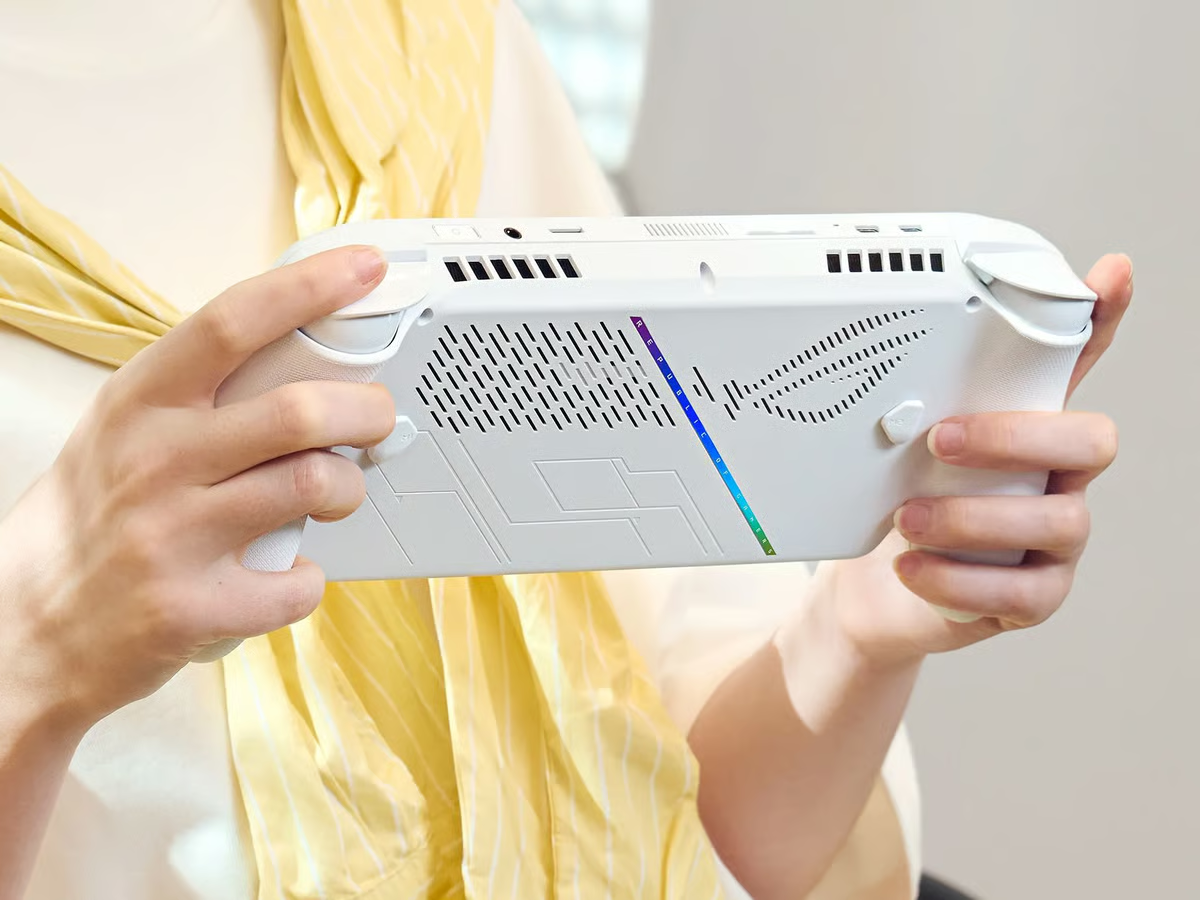
- The plastic finish felt a bit flimsy, hollow in places. For what feels like a premium handheld, that was disappointing.
- The included stand was essentially cardboard. Sure, maybe it’s eco-friendly, but it also gave the impression of cost-cutting.
- I wondered: do I really need this device? I already own a Steam Deck. Is the upgrade worth it?
At that point, I was ready to make a video, talk about how it didn’t hit the mark, and sell it. But then I opened it up—not just physically, but launched into the system, the software, the games—and surprisingly, things started to change.
ROG Xbox Ally Experience
Once I spent a few days with the ROG Xbox Ally, using it in real-world conditions, playing games, toggling modes, switching between ecosystems—my opinion shifted. Some of the turning points:
- While I’ve tried Windows handhelds before specifically the AYN Loki, the comfort and interface here felt more console-like.
- The moment I powered it on, the handheld dropped me straight into an Xbox-style full-screen experience: familiar, comfortable, and importantly, not immediately overwhelming.
- It made me think: this isn’t just another Windows PC in a handheld shell. It’s designed to feel like a console—one you carry.
So yes—the ROG Xbox Ally pulled me back in. And once the impression changed, I found myself enjoying it not just for games but for the whole package.
Software & Ecosystem: Where the ROG Xbox Ally Shines
What truly elevates the ROG Xbox Ally is how it handles the software side. For handheld gaming, the experience can hinge less on raw specs and more on how the hardware presents itself. Here’s what stands out:
Console-like Start
When you turn on the Ally, you’re not greeted with a desktop full of icons and Windows settings. Instead, you’re in a gaming interface: the Xbox full-screen experience. (Xbox.com) That matters, because it sets the tone early—this device is for play.
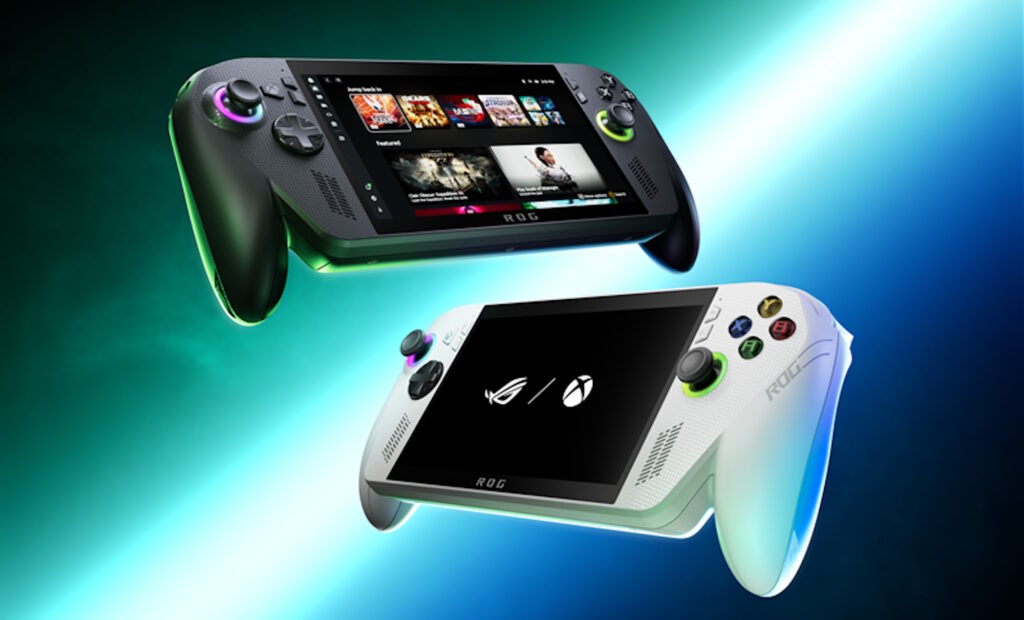
The alliance with Xbox is more than branding: the design aims to make this handheld feel like your Xbox in your hands.
Seamless Transition to Windows
Because yes—under the hood it is Windows 11. But switching between the “console mode” and full Windows mode is smooth. A swipe, a button, and you’re in “PC” mode—installing apps, running emulators, doing whatever you want. That dual-mode freedom is rare and appealing.
Multi-ecosystem Access
One of my major worries going in: would this feel locked into the Microsoft/Xbox ecosystem, forcing me to buy into things I didn’t want? The good news: not really.
Yes, Xbox services and Game Pass are there, front and centre—but you’re not forced. Steam, Epic, emulation, Windows apps—all exist and run. That freedom is a big plus.
Responsiveness & Controller Feel
The Xbox-button integration, the grips, the analogue sticks—they all contribute to a sense of “this is designed for play”. The moment-to-moment transitions, closing apps, swapping modes, the smoothness of going from game to desktop… it all adds up.
In short: the ROG Xbox Ally succeeds in being more than “a Windows handheld”. It feels like a portable console, while retaining PC-level openness.
ROG Xbox Ally Hardware & Specs
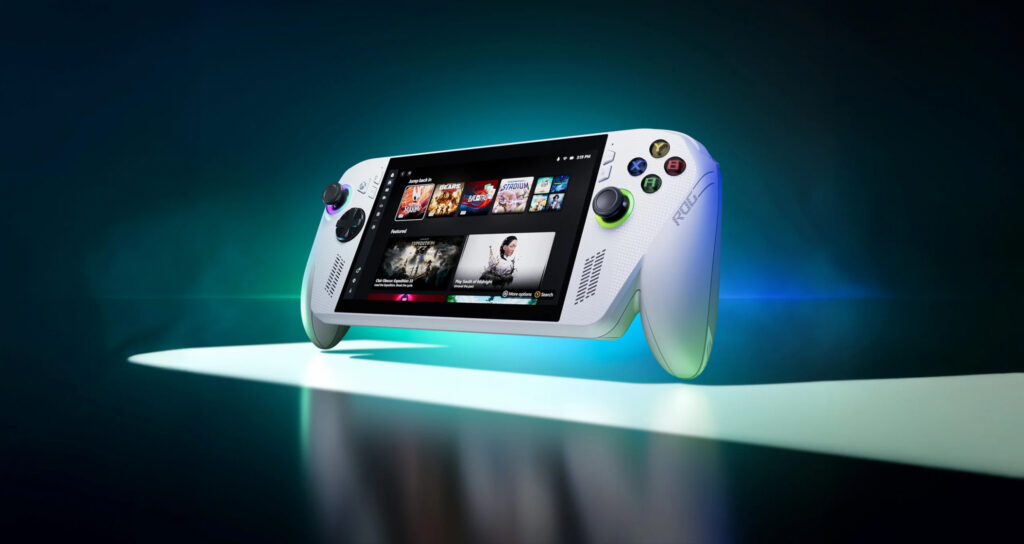
No discussion would be complete without the hardware spec breakdown. The ROG Xbox Ally packs a lot, and that matters if you care about gaming performance, future-proofing and overall experience. (@ROG)
ROG Xbox Ally Key features
- Processor: AMD Ryzen Z2 A in the standard model.
- Display: 7″ 1080p (Full HD) touchscreen, 120Hz refresh rate, FreeSync Premium.
- Operating system: Windows 11 Home.
- Controls & ergonomics: Designed with grips and layout inspired by Xbox controller ergonomics.
- Flexibility: M.2 SSD storage (upgradeable), USB-C / DisplayPort support, full access to PC apps and games.
What this means in practice
- Because of 120 Hz and the PC power under the hood, the handheld can deliver smoother frame rates, more detailed visuals, and better performance than many older handhelds.
- The large screen and refresh rate make everything—from fast-moving games to emulators—look and feel better.
- The flexibility of Windows means you’re not trapped in a single ecosystem. Emulation, indie games, PC games—all accessible.
- The ergonomics matter: handhelds often fail because they’re uncomfortable after 30 minutes. The Ally’s grip design, control layout, and build make longer sessions more viable.
Real-World Use: My Experience with the ROG Xbox Ally
So how did this feel after real use? What surprised me, what delighted me, what concerns remain?
What surprised me
- Games that my older handheld struggled with ran smoother here. I sampled several emulators, PC titles and native handheld-friendly games—and the performance uplift was tangible.
- I found myself leaning into the Windows mode more than I expected. Previously I had used Windows handhelds and found the experience clunky. Not here.
- The ease of switching between modes and between ecosystems made the device feel versatile rather than “just another toy”.
What delighted me
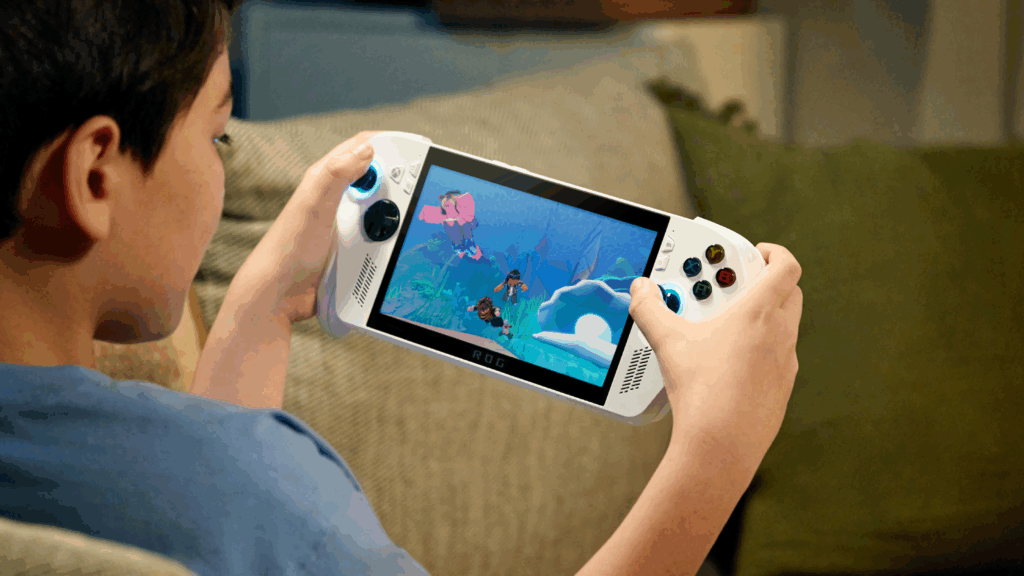
- Holding it felt good. The weight, the grip, the form factor—they all combined to make it feel like a serious gaming handheld.
- The display impressed: vivid, responsive, and capable of delivering gaming visuals that mattered.
- The freedom: from Game Pass to Steam to whatever I choose—there’s a sense of “all my games, here” that’s very appealing.
What concerns remain
- Some build-quality choices: yes, the plastics and the stand raised my eyebrow early on. While the performance lives up to expectations, the initial materials feel less premium than the price might suggest.
- Windows: As much as I love Windows for flexibility, it’s still Windows. Over time it may exhibit its typical quirks—background tasks, updates, drivers. Windows handhelds just naturally seem to degrade and get slower over the years.
- Price and value: The hardware is strong, but when you already own another handheld (or a capable PC), is the upgrade worth it? That depends on how much you care about top-level handheld PC gaming.
ROG Xbox Ally Emulation & PC Games
If you’re into retro gaming, emulation, PC titles on the go—the ROG Xbox Ally is a great fit. Here’s why:
- Because it is Windows, the emulator ecosystem works more naturally. Installing PC emulators, tweaking settings, using direct-X based front-ends—it all feels smoother than some handhelds whose OS is less mature.
- In my testing, PS2 and GameCube emulation worked with minimal hassle. PS3 emulation too showed promise—something that still trips up many devices.
- On the PC game front—titles that were sluggish on older handhelds (specifically the Steam Deck) ran more smoothly here, often with higher frame-rates out of the box. That’s meaningful.
- The desktop mode means you can also do things beyond games: productivity, streaming, creative tools—if you want. It turns the handheld into a PC alternative for the couch or travel.
So if you want a “console feel” but also the flexibility of a PC, the Ally ticks that box.
ROG Xbox Ally Pricing & Value: Is It Worth It?
Cost always matters. With the ROG Xbox Ally, you’re paying for premium handheld PC gaming. Here are key points:
- The standard model is priced atUS$599 / £499 for the base specs and US$999 / £799 for the high specs. (TechRadar)
- Upgrades (higher RAM, better storage) add cost.
- You’re paying more than many retro-handhelds or even some mid-range PC handhelds—but you’re also getting more performance, more flexibility, and higher refresh/quality display.
- The value you get depends on how you’ll use it: if you’ll treat it as your main handheld, for PC games + emulation + travel, you’ll likely feel it pays off. If you already own a capable device and just want a secondary unit, you’ll want to consider how often you’ll use it.
Who Is the ROG Xbox Ally For?
It’s helpful to think about the ideal user profile for this device. If you tick many of the following, the Ally is a strong contender:
- You’re a serious handheld gamer who wants more than just retro or indie titles—you want PC games on the go, emulation, etc.
- You appreciate high-refresh displays, smooth frame-rates, and are willing to pay for it.
- You like flexibility: switching between Xbox ecosystem, Steam, emulators, and maybe even doing non-gaming tasks occasionally.
- You care about ergonomics and build. You’ll use it for longer sessions and want something comfortable.
- You’re okay with premium pricing, and you view the device as more than a “toy”—it’s a portable gaming PC/convenience machine.
If you’re more casual—playing retro emulators only, or streaming from your console, or you hold back sessions—then a lower-cost handheld might suffice.
Final Thoughts & Reflection
In the early hours I doubted the ROG Xbox Ally. The build felt less premium than I would’ve liked, the cardboard stand felt cheap, and I questioned whether I needed it given my existing Steam Deck. But then something shifted.
Switching it on, playing it, exploring its modes… I found myself increasingly impressed. Here’s why I believe the ROG Xbox Ally matters:
- It brings together the console feel and PC power in a portable form.
- It gives you freedom: you’re not trapped in a single ecosystem.
- It looks ahead: 120 Hz display, strong internals, flexibility to upgrade storage.
- It turns into a go-anywhere machine, not just for games but for play itself.
Of course, it’s not perfect. A few corners felt cut, and Windows forever remains a trade-off. But if I treat this device the way I treat my consoles—with joy, patience, and long-term use—it has the potential to be something I’ll hold on to, use for many years.
So if you’re on the fence about the ROG Xbox Ally, here’s my verdict: yes—go for it, if you’ll use it, push it, and appreciate what it offers. If you’re tentative or unsure how often you’ll use it, maybe wait, spend some time reading reviews, or compare alternatives.
For me, it’s turned from “maybe I’ll sell this” to “I’m glad I got this”. And that shift says a lot.